

How to Update the OpenLegacy License in Hub Enterprise
Use this guide when you need to renew or replace the license on an OpenLegacy Hub Enterprise deployment. The process takes only a few minutes and does not require a restart.
Open the OpenLegacy Hub - Click on the User Name in the Top Right Corner

Go to the Account Settings page.
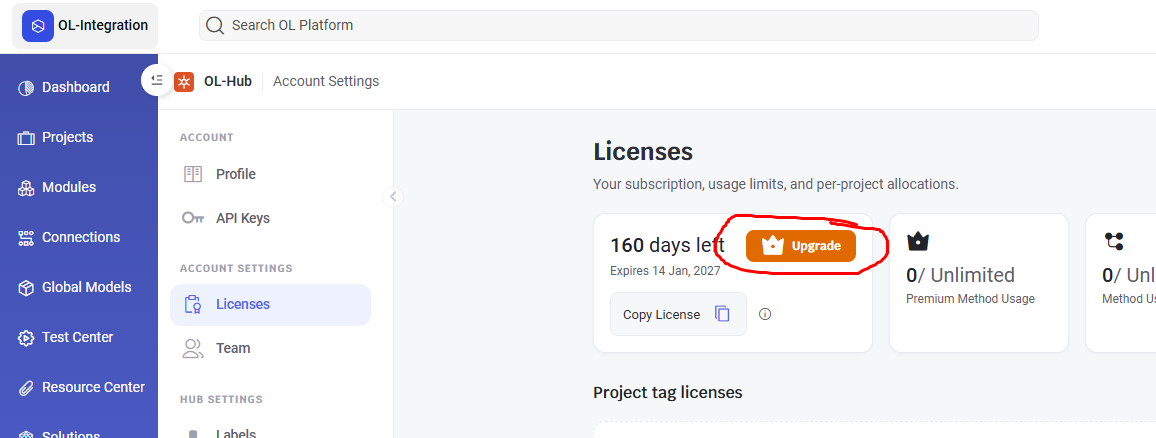
Click Upgrade License.
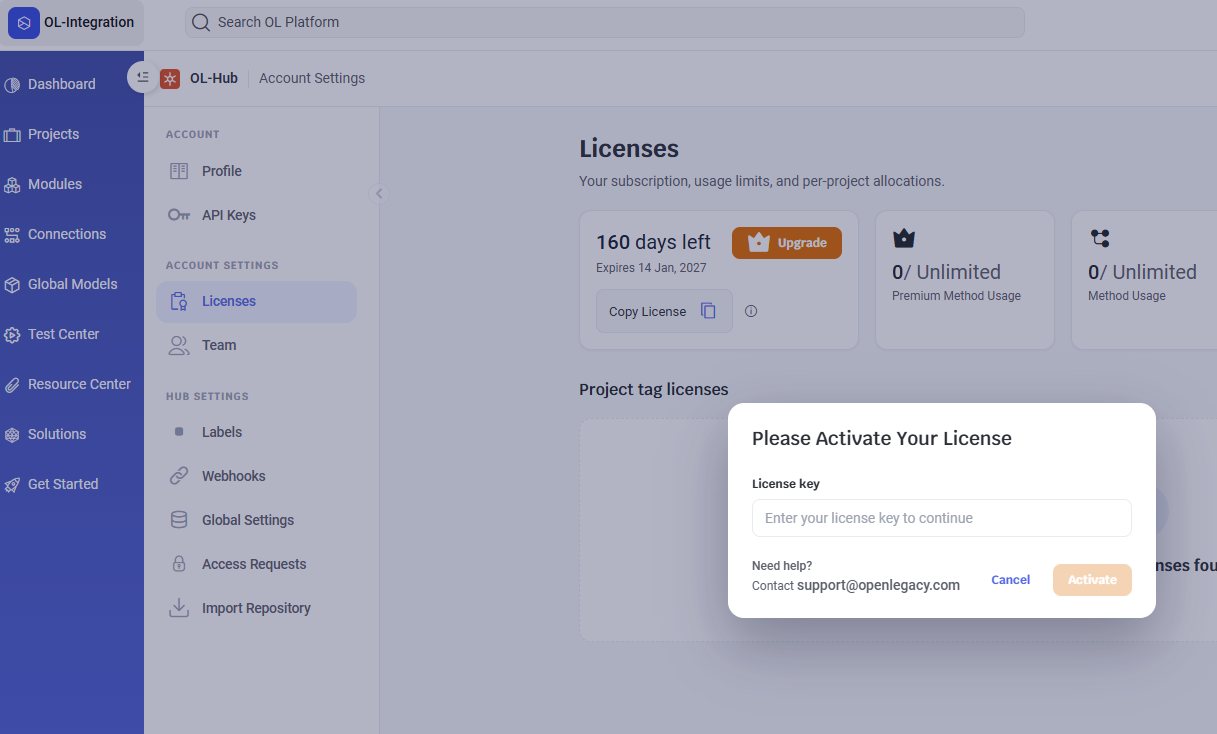
Paste the new license key and click Activate.

Your license is now updated.
Updated 3 months ago
Did this page help you?