

Global Models
Global Models in OpenLegacy Hub are reusable, centrally managed data structures
Global Models in OpenLegacy Hub
Global Models in OpenLegacy Hub are reusable, centrally managed data structures that you can attach to your Method Flows. They allow you to define business entities—such as Customer—once and reuse the same structure across multiple API methods.
Why Use Global Models?
Using Global Models helps you:
- Maintain a single source of truth for business entities
- Ensure consistent input and output payloads across flows
- Understand where a model is used before making changes
- Accelerate API design by reusing existing structures instead of redefining fields
Scope
Global Models are currently available for Method Flows.
Integration with additional Hub components will be introduced in future phases.
Opening Global Models
To access Global Models:
Sign in to OpenLegacy Hub
In the left navigation, select Global Models
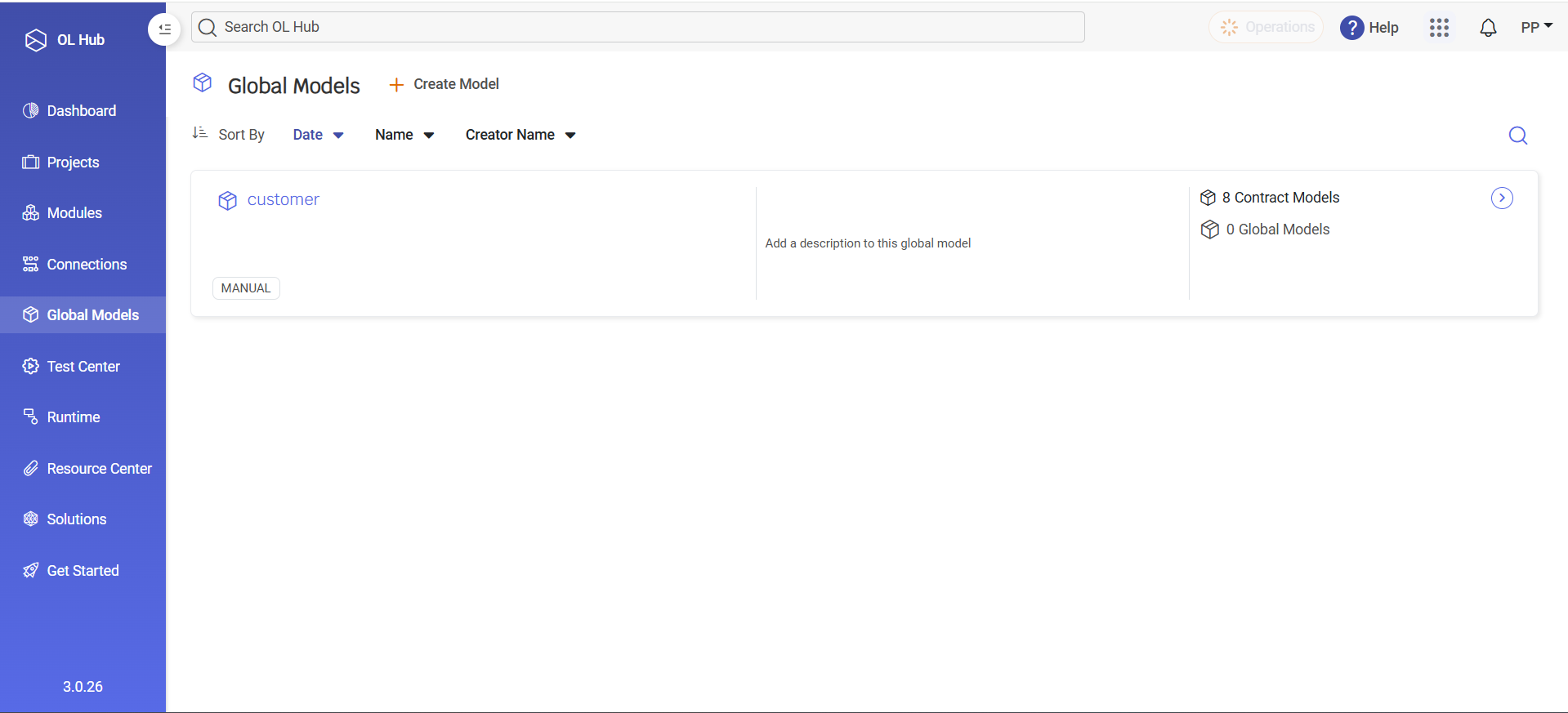
You’ll see a list of existing models.
Each row includes:
Model name
Creation type (e.g., Manual)
Creating a Global Model
To define a new reusable model:
Navigate to Global Models
Click Create Model
In the dialog: Model Name – Technical name (e.g., customer)
Description (optional) – Helps others understand the model’s purpose
Click Create Model
After creation, the model appears in the list and is ready to be edited and reused.
Defining and Editing Model Fields
To define or update fields:
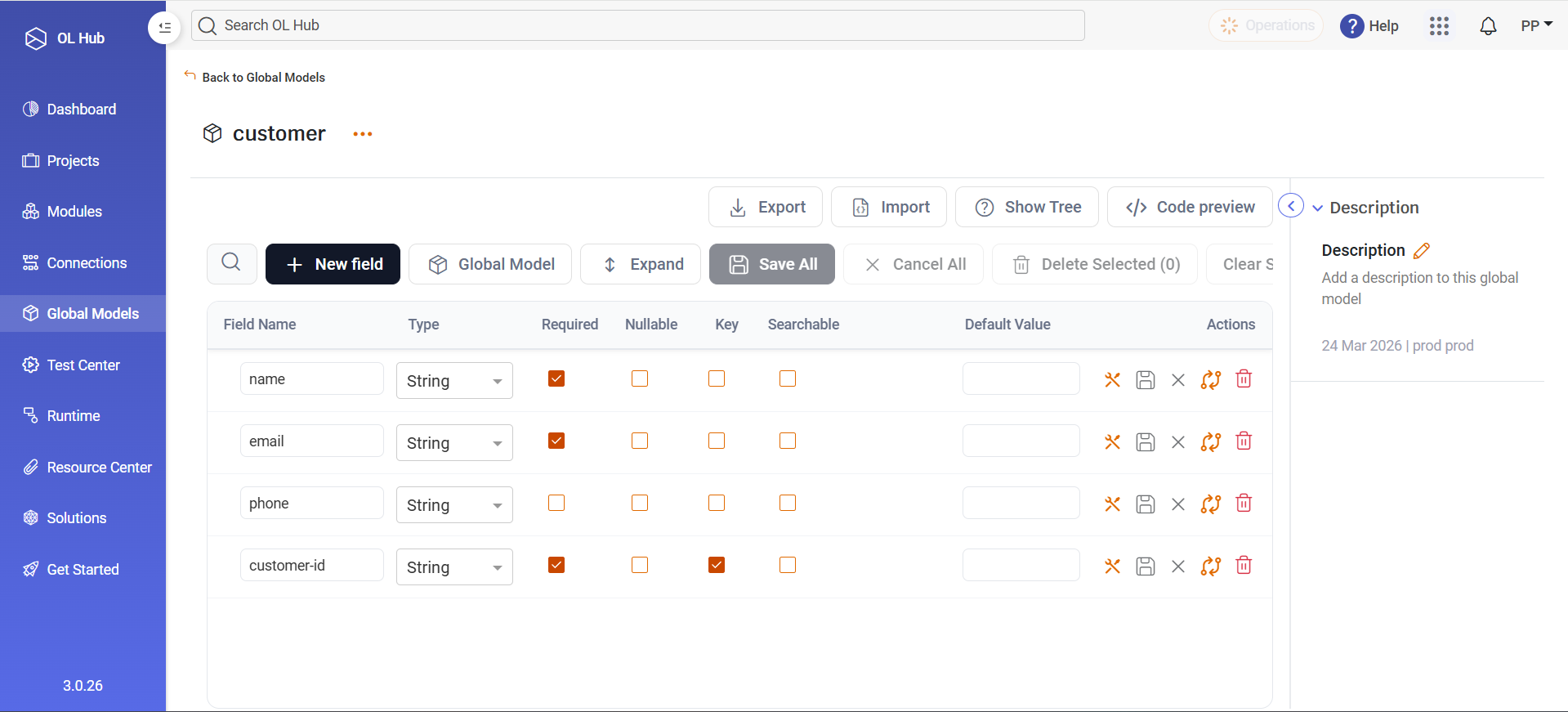
Click a model (e.g., customer) to open its details
Use the fields grid to manage attributes
Each field includes:
Name – Field identifier
Type – Data type (e.g., String)
Required / Nullable – Validation rules
Key / Searchable – Identification and search behavior
Default Value – Optional preset value
Seeing Where a Model Is Used
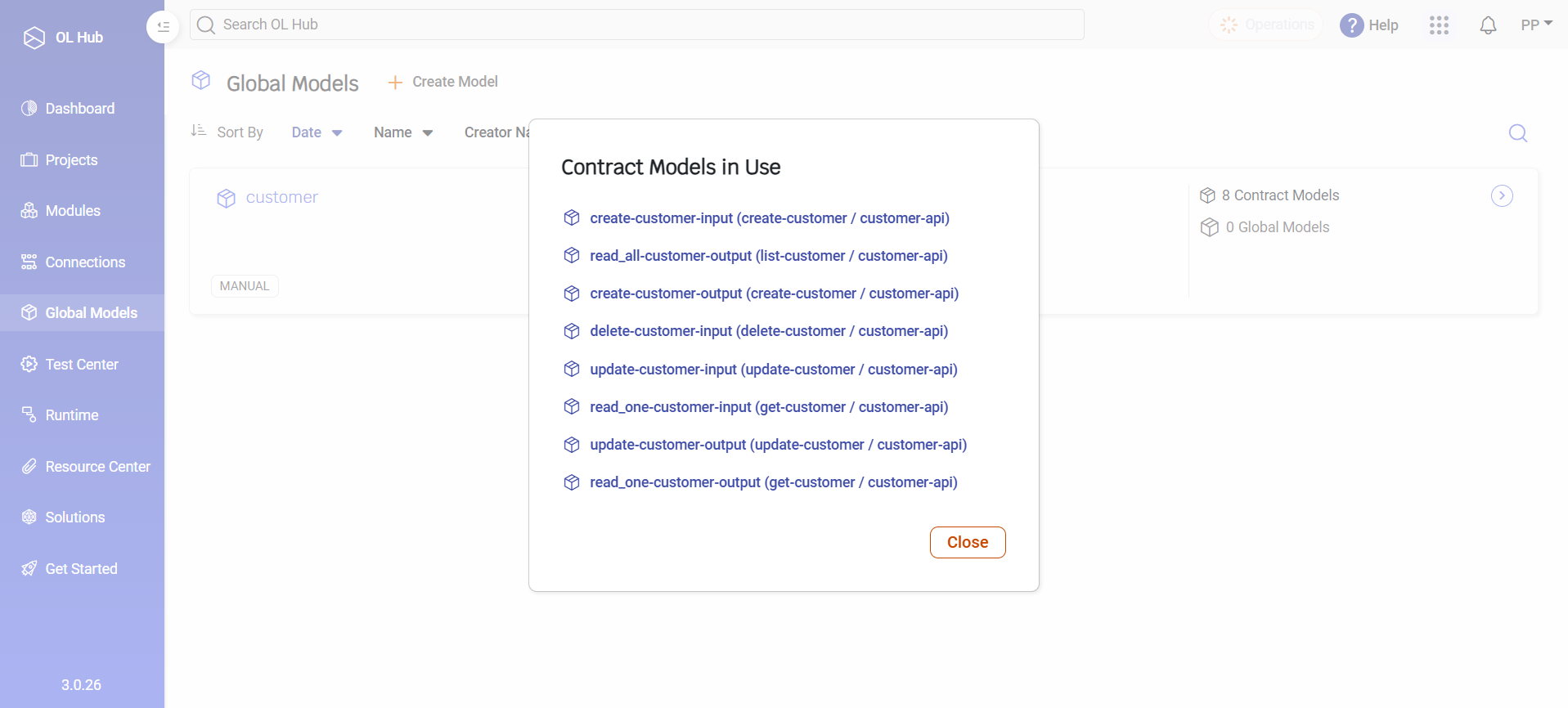
Before modifying a model, review its usage to understand its impact.
Open a model (e.g., customer)
Navigate to Contract Models in Use:
Method name
API name
Whether the model is used as input or output
Using a Global Model in a Method Flow
Once created, Global Models can be used directly in Method Flows.
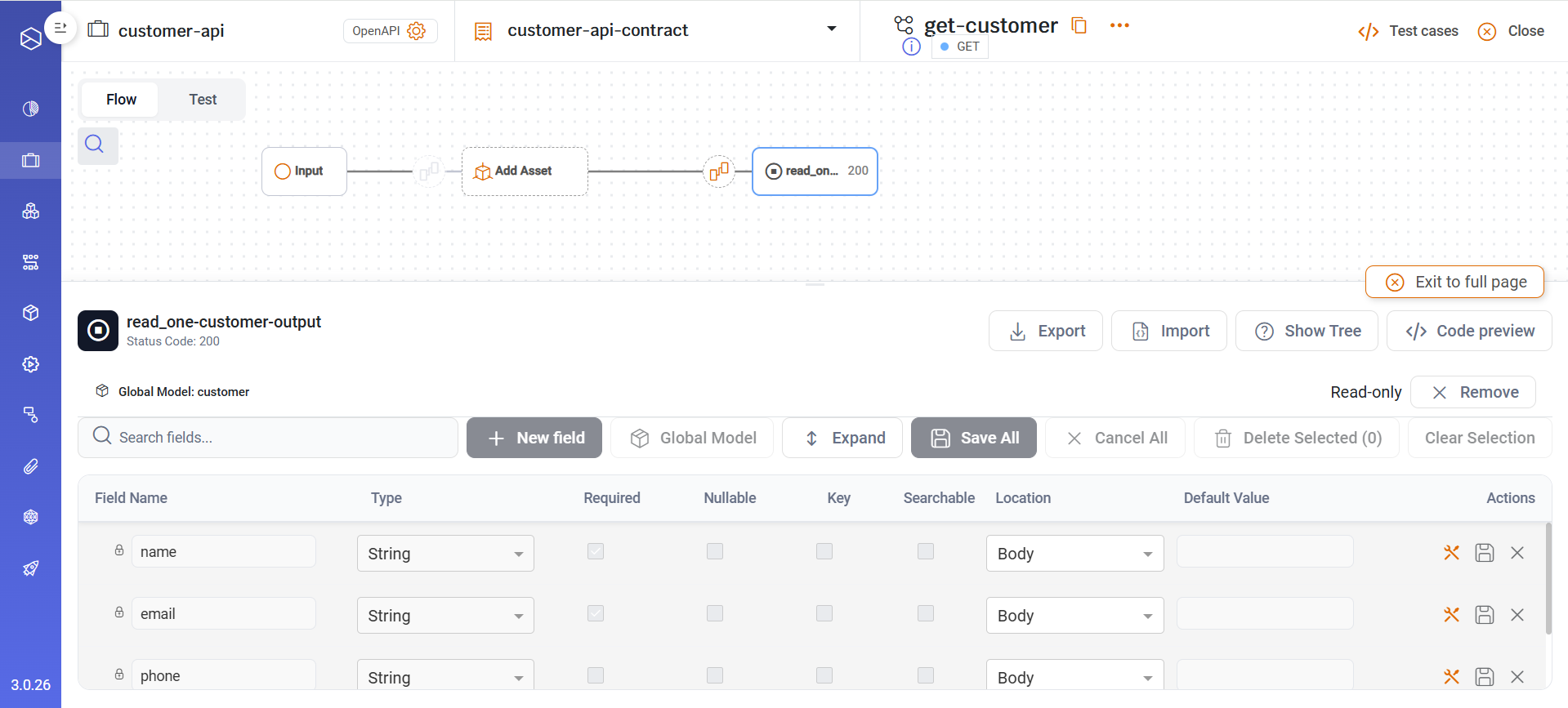
Example: Using a customer as output
In the output Model, choose the customer Global Model
Result: The output structure is automatically populated with the model fields:
name
email
phone
customer-id
These fields appear as read-only, since they are centrally managed.
Summary
Global Models provide:
- Centralized control over business entities
- Consistent schemas across APIs and methods
- Visibility into usage dependencies
- Faster design and safer evolution of your domain
Updated 6 months ago